
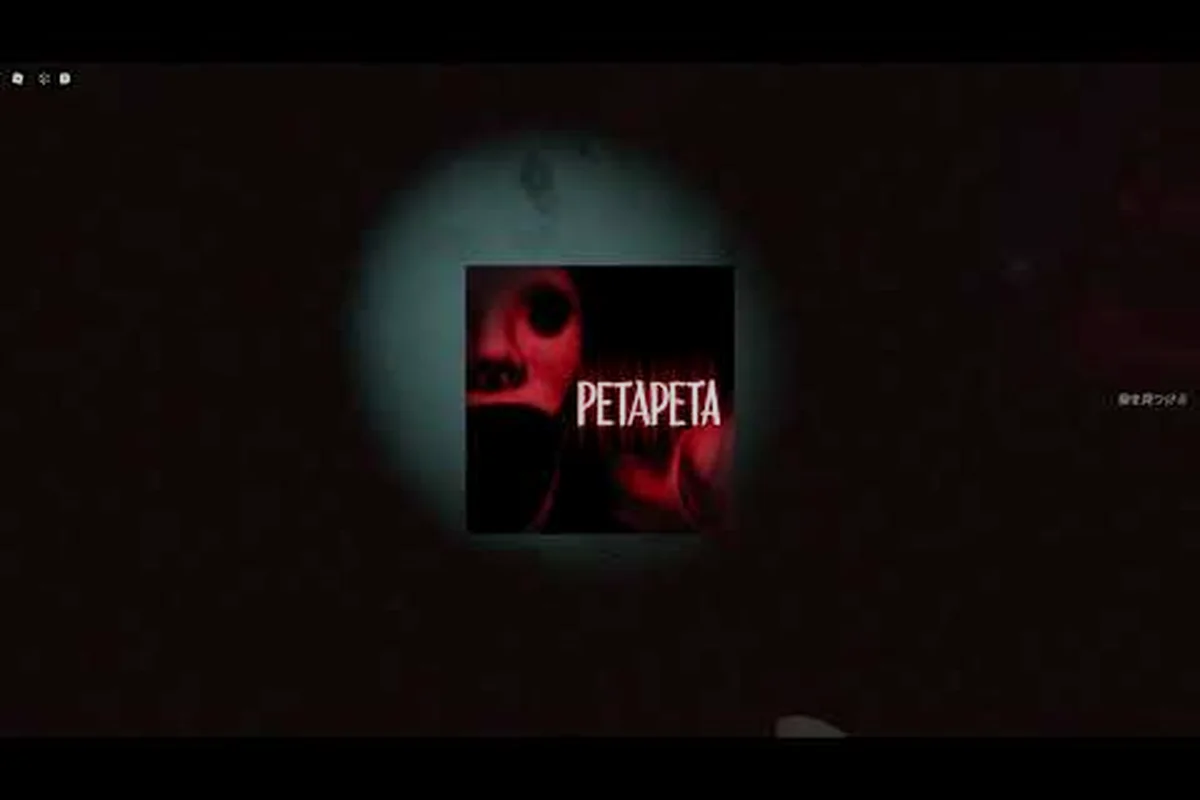
The PETAPETA official channel is where Omochi Studio drops every trailer, PV and teaser for its Roblox horror title, and it is the fastest way to see new content before it reaches the game. If you have only watched one clip, you are missing footage that quietly confirms monsters, modes and update timing.
This breakdown walks through what the Omochi Studio YouTube channel actually publishes, how to read each video type, and which frames are worth pausing on. By the end you will know exactly where to look for announcements instead of relying on secondhand reposts.
What the PETAPETA Official Channel Actually Publishes
The Omochi Studio YouTube channel is the studio's primary video outlet, and its catalog is smaller and more deliberate than a typical Roblox content farm. According to the channel page, it sits at more than 6,500 subscribers and hosts the official PETAPETA trailer alongside update showcases and gameplay footage, mostly presented in Japanese. That subscriber count matters because it tells you the audience is niche and the uploads are event-driven rather than daily.
Videos on the channel generally fall into a few recognizable buckets, and knowing which bucket you are watching changes how much weight to give the footage. The practical stakes are clearest with the shortest formats: a 10-30 second teaser may confirm only that a monster or feature exists, withholding stats and spawn conditions, so treating a single frame as confirmed PETAPETA content is how rumors outrun the patch. The table below sorts each format by typical length, what it actually confirms, and how far it can be trusted — from the roughly one-minute official trailer, edited from shipping assets, down to raw gameplay capture that may come from a pre-release build.
-
Official trailers — the polished, edited reveal pieces that set tone and show finished assets
-
PVs (promotional videos) — shorter, often Japan-market-oriented cuts that emphasize atmosphere over explanation
-
Teasers — brief clips that hint at a feature or monster without full context
-
Update showcases — developer-recorded walkthroughs of what changed in a patch
-
Gameplay footage — raw or lightly edited in-game capture used to demonstrate mechanics
The distinction is not cosmetic, and the table's trust column is where it pays off. A teaser is a promise, a trailer is a summary, and a showcase is documentation: a 10-30 second teaser may confirm only that a monster exists, while an update showcase recorded in the live build is the highest-trust source for exact patch behavior. Treating a two-second teaser frame as confirmed content — assuming a stat, spawn condition, or mechanic that the PV's atmosphere-first editing never states — is how misinformation spreads through the community before the patch notes land.
| Video type | Typical length | What it confirms | How much to trust it |
|---|---|---|---|
| Official trailer | Around 1 minute | Finished art, tone, core premise | High — edited from shipping assets |
| PV | 30-90 seconds | Atmosphere, regional marketing angle | High for visuals, low for mechanics |
| Teaser | 10-30 seconds | That a feature exists | Medium — details often withheld |
| Update showcase | 2-10 minutes | Exact patch behavior | Highest — recorded in live build |
| Gameplay footage | Varies | Moment-to-moment feel | High, but may be pre-release build |
The single most-cited video is the official trailer, which runs roughly 1:00 and was uploaded by OmochiStudio. You can watch it directly here: PETAPETA - Official Trailer (by OmochiStudio). It is the cleanest entry point if you want a one-minute sense of what the game is before reading anything else.
How to Read the PETAPETA Official Trailer Frame by Frame
Most viewers watch the PETAPETA official trailer once, feel unsettled, and move on. That is a waste, because a one-minute trailer from a small studio is densely packed — every shot exists because someone chose to include it. Slowing down and pausing at the right moments turns a mood piece into a content list.
Start with the opening ten seconds. Trailers front-load identity, so the first shots usually establish the core visual hook rather than a specific monster. If you see repeated motifs — distorted faces, looping corridors, mirrored rooms — those are the design language the studio wants associated with the title, and they tend to reappear in later update showcases.
Then watch the middle section for creature silhouettes. Horror trailers rarely show a full monster early; they show a limb, a shadow, or a reflection. Those partial reveals are the studio's way of confirming a design exists without committing to behavior details.
Finally, watch the closing card. Release windows, platform mentions and channel callouts almost always live in the last five seconds, and they are the easiest thing to miss when the video autoplays into something else. This is where the PETAPETA official channel does its real housekeeping: a date stamp for the next PETAPETA PV, a "subscribe" prompt, or a redirect to the Omochi Studio YouTube hub will flash by as a single static frame. Pause on it and note the exact wording — a line like "new PETAPETA teaser coming [month]" is the only scheduling signal the studio gives, and it rarely gets repeated in the video description or community tab.
Pausing on the Right Frames
A practical method: set playback to 0.25x speed and step through the trailer in five-second chunks. Note anything that appears twice. Repetition in a short trailer is intentional — a hallway shown from two angles is a location, a face shown twice is a character. This is the same discipline used when studying PETAPETA behind-the-scenes development material, where repeated assets usually indicate systems the team actually built rather than one-off set dressing.
Omochi Studio YouTube: PVs, Teasers and the Japanese-Language Gap
Here is the friction point most English-speaking players hit: a large share of Omochi Studio YouTube uploads are in Japanese. That is not a barrier to understanding the footage, but it does mean the titles and descriptions carry information you will not catch by watching alone.
A PETAPETA PV often functions as a regional marketing cut. It may reuse trailer footage with different pacing, different music, and on-screen Japanese text that names a feature more directly than the English marketing does. Teasers, by contrast, are usually the shortest uploads and the least explained — they exist to generate a reaction, not to inform.
| Channel element | Language | Practical value for English speakers |
|---|---|---|
| Video titles | Mostly Japanese | Feature names, update labels |
| Descriptions | Japanese | Links, dates, patch notes references |
| On-screen text | Japanese | Direct mechanic naming |
| Spoken narration | Japanese or none | Tone only |
| Visual content | Language-neutral | Fully usable |
The workaround is straightforward. Use your browser's built-in translation on the channel page and on individual video descriptions, and cross-reference any date you find against the game itself. Community reports suggest that translated titles are usually accurate enough to identify whether a clip is a trailer, a PV, or a patch showcase, even when the phrasing reads awkwardly.
If you want to know who is behind the uploads and how the studio operates day to day, the Omochi Studio profile covers the team's background and other Roblox projects, which helps explain why the channel's output is sporadic rather than scheduled.
Which Videos Reveal New Monsters, Modes and Release Clues
Not every upload carries equal information, and sorting them by signal is the real skill. The channel's upload types differ in how close they sit to a finished build: update showcases are captured from a working version, while teasers and PVs are often cut months ahead of release and may show content that never ships. That gap is why a single new monster can appear in three different forms — teased, trailed, then patched — and why the same clip can mislead if you read it as current. Based on how the channel structures its releases, here is a rough ranking of where to look first when you want news.
-
Update showcases — highest signal. These are recorded in a working build, so anything you see is either live or imminent.
-
Official trailer — high signal for art direction and premise, low signal for mechanics.
-
Teasers — medium signal. A teaser confirms a feature exists but almost never explains it.
-
PVs — medium-low signal for mechanics, high for atmosphere and regional framing.
-
Raw gameplay footage — high signal for feel, but check the upload date, since older capture may reflect a pre-release build.
A useful habit is to check the upload date before drawing conclusions. A monster shown in a clip from six months ago may have been redesigned, renamed, or cut entirely. The channel does not always annotate this, so treat any clip older than a couple of major updates as historical rather than current.
Spotting Release Clues Without Overreading Them
Release clues hide in three places: the final card of a trailer, the description text under a showcase, and the upload cadence itself. A sudden cluster of uploads after a quiet stretch is a reasonable signal that something is shipping soon, though it is a pattern, not a promise. Community data on this is anecdotal at best, so treat cadence as a hint and the game page as the source of truth.
Building a Reliable PETAPETA News Routine
Watching videos passively leaves you dependent on the algorithm's picks, so a short, fixed routine is what keeps you current on the PETAPETA official channel without losing an hour to recommended clips. The point is not to watch more, but to check the right sources in the right order — Omochi Studio YouTube uploads and the PETAPETA official trailer first, then confirmed patch notes — so a full sweep takes about five minutes instead of drifting through reaction videos. Anchoring the routine to the weekly upload cadence, rather than to whatever autoplay serves next, is what turns passive viewing into a repeatable check.
| Step | Where to look | What you are checking | Frequency |
|---|---|---|---|
| 1 | Omochi Studio YouTube channel | New uploads, especially showcases | Weekly |
| 2 | Official trailer description | Links, dates, platform notes | Once, then on updates |
| 3 | Game page and patch notes | Confirmed changes | After each update |
| 4 | Community group announcements | Player-side confirmation | Weekly |
| 5 | Reaction and first-play videos | How content actually feels | Optional |
The ordering matters because it moves from authoritative to interpretive. The channel tells you what the studio chose to show; the game tells you what actually shipped; the community tells you how it landed. Skipping straight to step five is how players end up believing a teaser frame is a confirmed boss.
For the player-side half of that routine, the PETAPETA community and group overview explains where announcements get mirrored and how group members typically share update news, which is useful when the channel goes quiet for a stretch.
Separating Official Footage From Reaction Content
A PETAPETA trailer reaction can be entertaining, but it is not a source. Reaction videos inherit whatever the creator noticed, which means they amplify the loudest visual and skip the quiet details — exactly the opposite of what a frame-by-frame pass gives you. Use reactions to gauge community mood and use the official channel to establish facts. When the two disagree, the channel wins.
The same logic applies to fan edits and compilations, and the loss is measurable rather than abstract. A compilation strips the upload date and the description, which are two of the three places release clues actually live — the third being the video title itself, where the PETAPETA official channel typically flags a PETAPETA PV versus a full PETAPETA trailer. Reuploads also routinely drop the pinned comment, where Omochi Studio has historically noted regional availability or a corrected premiere time. Treat a compilation as an index of moments worth checking, then open the original PETAPETA YouTube channel upload to confirm the date stamp and description text before you cite anything.
Frequently Asked Questions
Where is the official PETAPETA YouTube channel?
It is the OmochiStudio / おもちスタジオ channel, the developer's primary video outlet with more than 6,500 subscribers. It hosts the official trailer, update showcases and gameplay footage, largely in Japanese, and serves as the authoritative source for PETAPETA video announcements.
How long is the PETAPETA official trailer?
The official trailer uploaded by OmochiStudio runs about one minute. That short runtime is why frame-by-frame viewing pays off — creature silhouettes, location repeats and the closing release card all appear within that single minute and are easy to miss at normal speed.
Do I need to understand Japanese to follow the videos?
No. The visual content is language-neutral, so trailers, PVs and showcases remain fully usable. Only titles and descriptions require translation, and browser translation handles those well enough to tell a trailer apart from a patch showcase. The one exception worth knowing is the closing release card in the official trailer: platform logos and dates are legible without any Japanese, so you can confirm a launch window even if the surrounding text is machine-translated.
What is the difference between a PETAPETA PV and a teaser?
A PV is a promotional video, usually a regional marketing cut that emphasizes atmosphere and may reuse trailer footage with different pacing. A teaser is shorter and more cryptic, confirming that a feature or monster exists without explaining it. Neither should be treated as patch documentation.
Are older uploads still accurate?
Treat any clip older than a couple of major updates as historical. Monsters get redesigned and features get cut, and the channel does not always annotate changes. Cross-check anything you plan to rely on against the current game build and its patch notes.
The PETAPETA official channel is a small, high-signal catalog rather than a content firehose, and that is its advantage. Watch the official trailer once at full speed for tone, then again slowed down for details; check update showcases first when news breaks; and always confirm what you saw against the live game before repeating it. Done in that order, five minutes on the Omochi Studio YouTube channel tells you more than an hour of scrolling reactions.